 Joripo
Security and data protection
How Joripo protects the people in your data.
Survey data holds names, phone numbers, locations and answers people gave in confidence. This page describes how Joripo is built to protect it, what each safeguard does, and, just as plainly, what Joripo does not do yet.
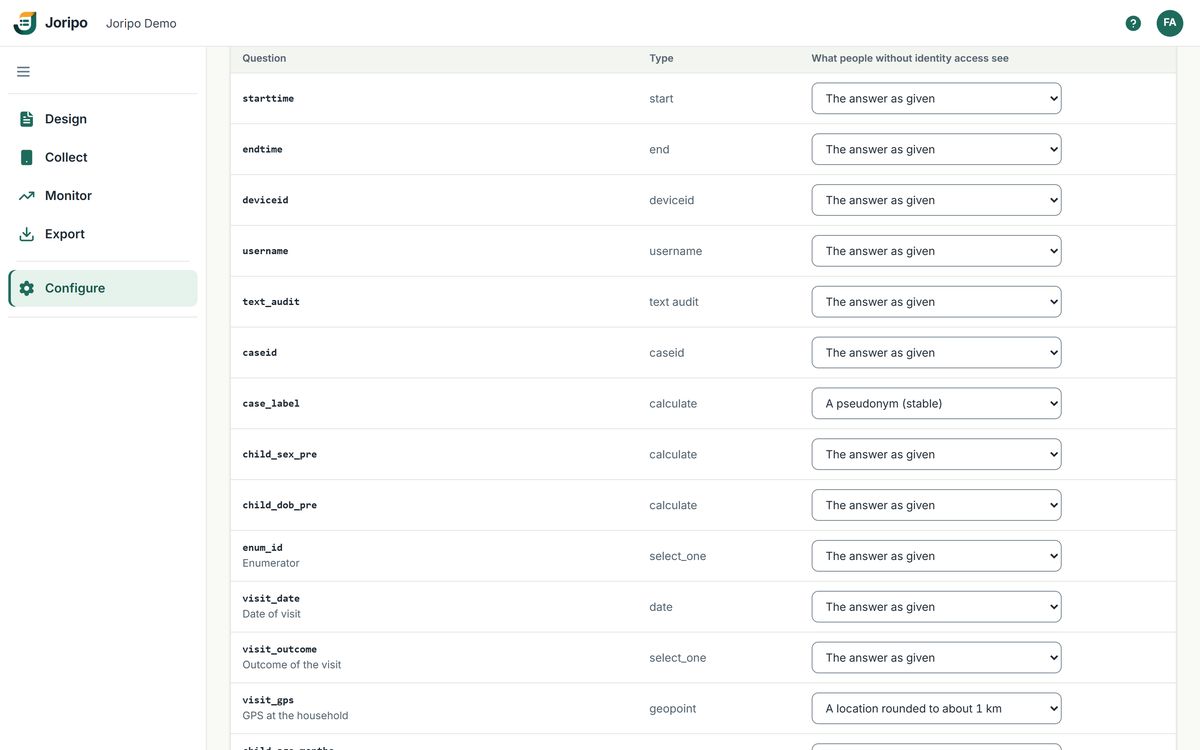
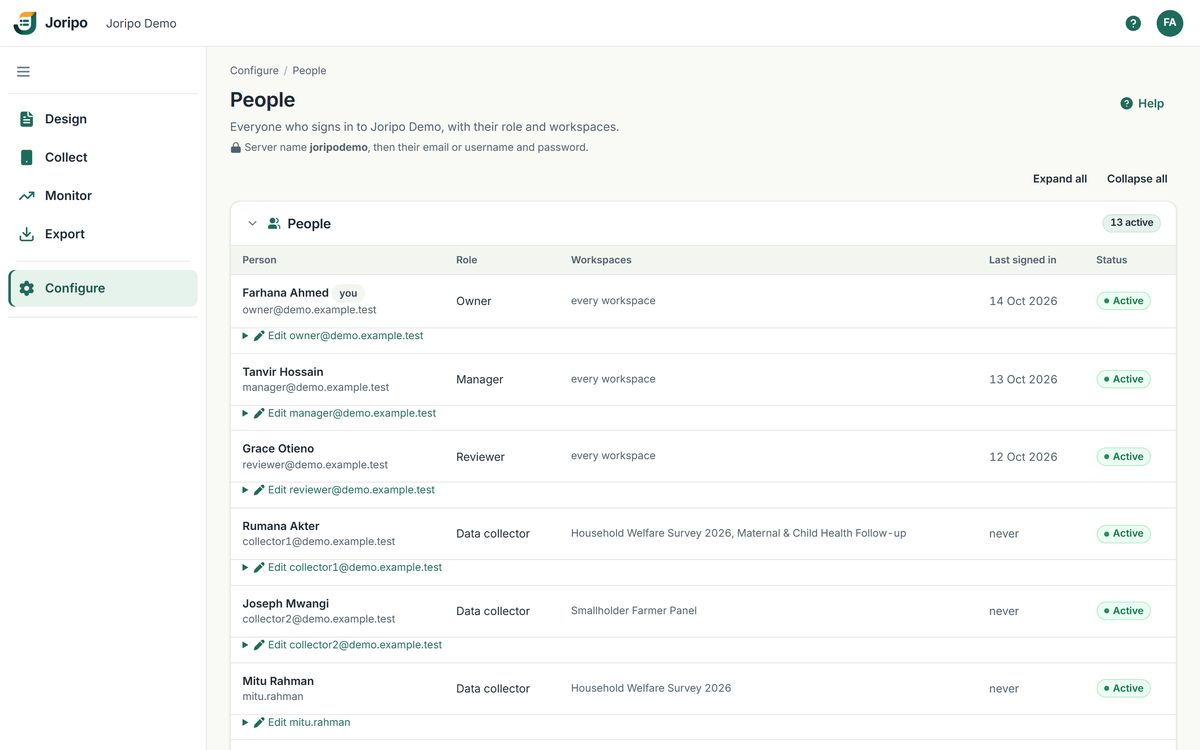
Joripo's console, showing a demo workspace with synthetic data.
Principles
Four rules we design to.
Security in a survey platform is mostly about who can see what, and about making mistakes recoverable. These rules shape every screen that touches respondent data.
Access follows the role
People see the workspaces and actions their role allows, checked on the server for every request, never only hidden in the interface.
Identity stays apart
Identifying answers can be masked for anyone without identity access, while the stored record stays exactly as it was collected.
Mistakes are recoverable
Deleted forms and workspaces can be restored. Permanent deletion is a separate, deliberate step with a backup and a typed confirmation.
Say what is not covered
Every safeguard on this page has limits, and we list them. If your study needs something Joripo does not do, you should know before fieldwork.
Safeguards
How Joripo protects data.
The safeguards built into the server, Joripo Collect and Joripo Desktop, with the numbers they use.
| Encryption at rest | Collected data is encrypted with AES-256-GCM, in 64 KiB authenticated chunks: submissions and their attachments (photos, audio, signatures, text audits), server datasets and case lists, saved test sessions, and the answers stored in the database. It is switched on for Joripo's hosted service. Downloads, exports and Joripo Desktop decrypt as they stream, so authorised people see normal data. Form definitions, form media and other records (people, quality findings, cases, settings) are not covered. |
|---|---|
| In transit | On the hosted service every request is served over HTTPS: plain http is redirected, and every https response sets HSTS for one year. Cookies are marked Secure. Pages for signed-in people, API answers and phone answers are sent with no-store caching, so browsers and proxies do not keep copies of respondent data. |
| Passwords | Hashed with scrypt (N = 217, r = 8, p = 1, about 128 MiB of memory per check). A sign-in for an account that does not exist takes the same time, so timing does not reveal who has an account. Owners, managers and reviewers need at least 12 characters; data collectors, who have no console access, at least 4. |
| Sessions | A signed, HttpOnly session cookie that ends after 2 hours without use or 7 days after sign-in. "Keep me signed in on this computer" is unticked by default. Signing out, a new password, a lower role or deactivation ends that person's sessions in every browser. |
| Request forgery | Every change made in a signed-in browser carries a per-session CSRF token. An automated test walks every route the server offers and fails if any route that changes data is unprotected. |
| Sign-in lockouts | 8 failed sign-ins per account and 30 per network address in 15 minutes, on the web, in Joripo Collect, for ODK Collect and on password-reset requests. The counts are kept in the database, so a restart does not reset them. |
| Organisation isolation | Every query is filtered by organisation, and each organisation has its own storage folder. A request for another organisation's workspace, form, submission, file or token answers "not found", so its existence is not even confirmed. An automated sweep tries every route with every role using another organisation's IDs. |
| Roles and workspaces | Owner, manager, reviewer and data collector, enforced on the server for each workspace. Data collectors have no console. With Restricted workspaces on, managers and reviewers see only the workspaces they are assigned to. |
| Respondent de-identification | Identifying questions can be pseudonymised, redacted or coarsened for anyone without identity access, in every export, the Data Explorer, attachments, the data API and Joripo Desktop. More below. |
| Garbling vault | For garbled sensitive questions, the seed, roster and key rows are encrypted with AES-256-GCM under a key derived from both a server secret and the workspace's own key. Only named key custodians can open the vault, and every key action is recorded. How garbling works. |
| Phones | Your organisation decides whether a new Joripo Collect phone is approved at once or waits for approval. A phone's keys lapse 30 days after it last checked in, and owners and managers can revoke any phone at once. On the phone, sign-in credentials are sealed with the Android Keystore, interviews are kept in the app's private storage and excluded from Android cloud backup, and the server can require the account password whenever the app opens. Device keys for ODK Collect do not lapse on their own: they work until revoked. |
| API and Desktop tokens | Shown once, then stored only as a SHA-256 hash. They can only read, and only through the same masked data the person sees in the console. Joripo Desktop keeps its sign-in in Windows Credential Manager, never in its settings or logs. |
| Incoming submissions | Submission XML is parsed with defusedxml, so malformed or entity-laden XML is refused before anything is stored. A re-sent submission with different content never overwrites the first copy. Upload sizes are limited while the data arrives. |
| Audit trail | The server records sign-ins, people and role changes, passwords, phones and device keys, tokens, sharing, privacy rules, identity-map downloads, garbling key actions and case-list changes, each with who acted, the outcome, the address and the browser. The application only ever adds to it. Today the server's maintainer can review it; organisation owners cannot yet see it in their console. |
Access control
Give each person exactly the access their work needs.
Access is set in two places: roles for your own team, and external access for partners who need one workspace and nothing else.
Four roles, applied workspace by workspace.
Owners can do everything, including managing people, deleting workspaces and choosing how new phones are approved. Managers run workspaces: forms, datasets, phones, quality checks and exports. Reviewers read submissions, review quality findings and export data, but change nothing else. Data collectors only collect, in Joripo Collect and web forms, with a username if you prefer, and never open the console.
- Restricted workspaces limit managers and reviewers to the studies they work on, and a manager can be narrowed to "Reviewer only" or "Data collector only" in one workspace.
- A password an owner sets is temporary: the person must choose their own before anything else opens.
- Deactivating a person signs them out everywhere and revokes their phones.
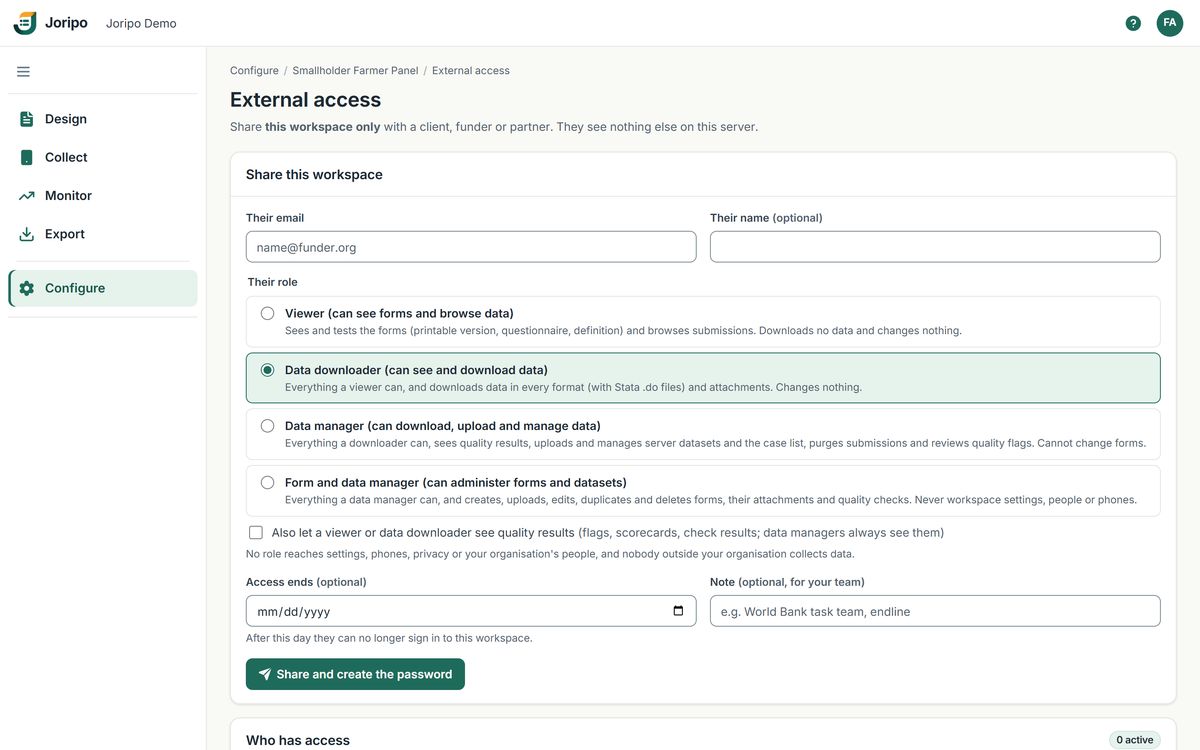
Share one workspace, not your whole organisation.
Owners and managers can give a funder, a principal investigator's team or a partner firm access to a single workspace. Each share has one of four roles, its own password shown once, an optional end date and a note.
- Viewer sees forms and browses data; Data downloader also downloads exports and media. Either can be allowed to see quality results.
- Data manager also manages datasets and the case list, reviews findings and can purge submissions; Form and data manager also manages forms. Choose these with care: they are not read-only.
- External clients never get identity access, API tokens or Joripo Desktop, and never reach people, phones, privacy or garbling settings.
- "New password" replaces a share's password and ends its sessions; "Revoke" ends access at once.
Respondent de-identification
Analysts can work with the data without seeing who said what.
For each form, owners and managers mark the questions that identify a respondent and choose what people without identity access see instead. Identity access is given person by person.
Pseudonymise
A name or ID becomes a stable pseudonym, "P" followed by 10 characters, made with HMAC-SHA-256 under the workspace's own key. The same person gets the same pseudonym across the dataset, so records still link.
Redact
The answer is left blank, or the file (a photo or a recording) is withheld.
Coarsen
GPS readings are rounded to two decimal places, about 1 km, so the area is kept but the household is not.
Where masking applies
- Every export file and the Data Explorer, including its search
- Submission pages, attachments and archives
- The data API and Joripo Desktop
- The text of quality findings
What stays the same
- The stored record is never changed, so people with identity access, and your final dataset, keep the original answers.
- Downloads of the identity map are recorded in the audit trail.
- A server dataset can be marked "Identifying data": downloading or previewing it then needs identity access, and every attempt is recorded.
Deleting data
Deletes you can undo, purges you have to mean.
Most deletion in a survey is a tidying mistake waiting to happen, so ordinary deletes keep everything. Removing data for good is a separate action with its own checks.
Deleted forms and workspaces
Deleting a form moves it, with its versions, attachments, submissions and review history, to Deleted forms, where a manager can restore it. Deleting a workspace, which an owner confirms by typing its name, blocks all access to it but erases nothing, and an owner can restore it. Both are kept until restored, and they still count towards storage.
Purging submissions for good
- Choose what goes.Owners and managers pick one form's submissions received before a date, or specific submissions by KEY.
- See the exact list.Joripo shows every submission that will be removed, and the confirmation is tied to that list.
- Type the form ID.Nothing is deleted until the form's ID is typed in full.
- Keep a checked backup.By default a backup zip is written and checked first, and encrypted like the rest of the collected data.
- Delete and log.Files and database rows are removed together, and the purge is written to the form's purge log.
Said plainly
What we do not claim.
Ethics boards and data protection officers ask hard questions, and they deserve straight answers. These are the limits of Joripo's security today.
No certifications or audits
Joripo holds no security certification or compliance attestation, and has not had a third-party penetration test or audit.
No 2FA or SSO for your team yet
Organisation accounts sign in with a password. Two-step sign-in exists only for the server's maintainer, and there is no single sign-on.
No form-level encryption
Forms that use XLSForm public-key encryption are refused at deploy, so nothing is ever collected looking encrypted when it is not.
Phones rely on Android
Joripo Collect does not encrypt interviews with its own key; unsent answers rely on Android's storage encryption. Revoking a lost phone cuts its access but cannot wipe it.
Desktop folders are plain files
Joripo Desktop's study folders apply the same masking as the server but are not encrypted by Joripo. Protect those computers as you would any data drive.
Hosting on Railway
The hosted service runs on Railway, in one shared database and storage volume with logical separation. Ask us about hosting region, backups or running Joripo on your own infrastructure.
Questionnaires from your ethics board or IT team are welcome. Tell us what you need answered and we will reply in writing, including where the answer is "not yet".
Bring your data protection questions to a demo.
We will show you roles, external access and de-identification on a form like yours, and answer what your ethics board will ask.
Already using Joripo? Log in to your server.