Joripo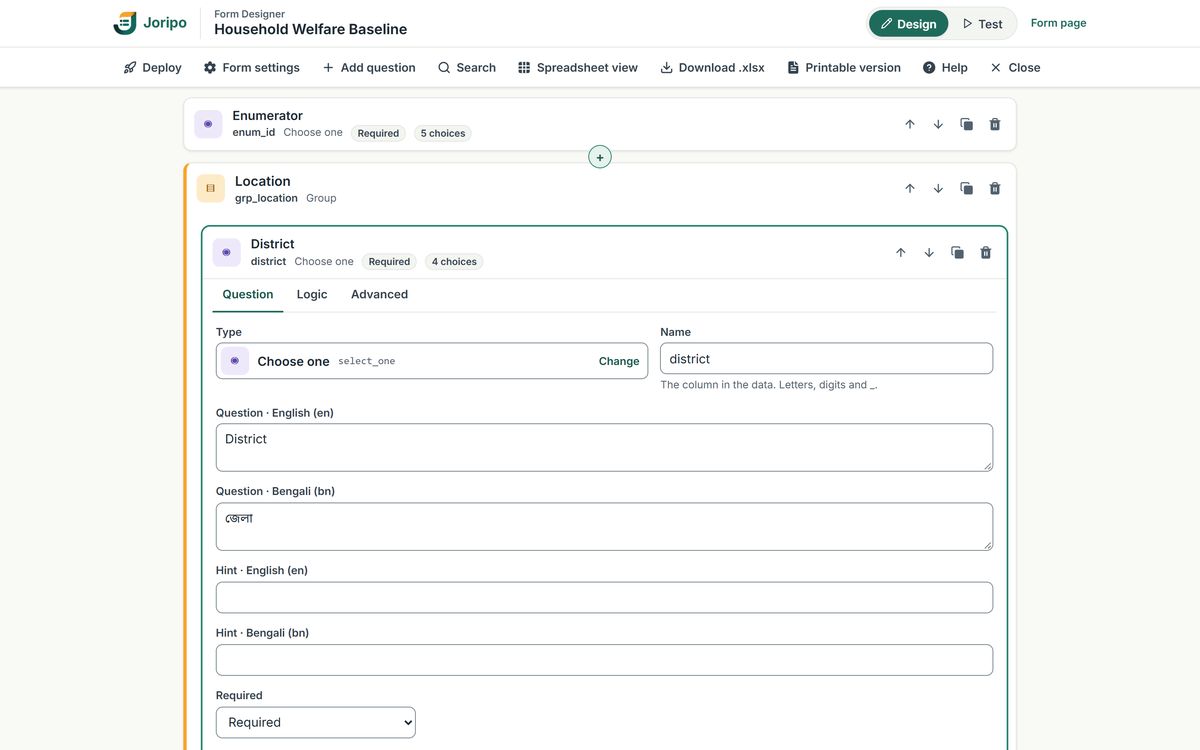
Android 8.0 or newer
Joripo Collect
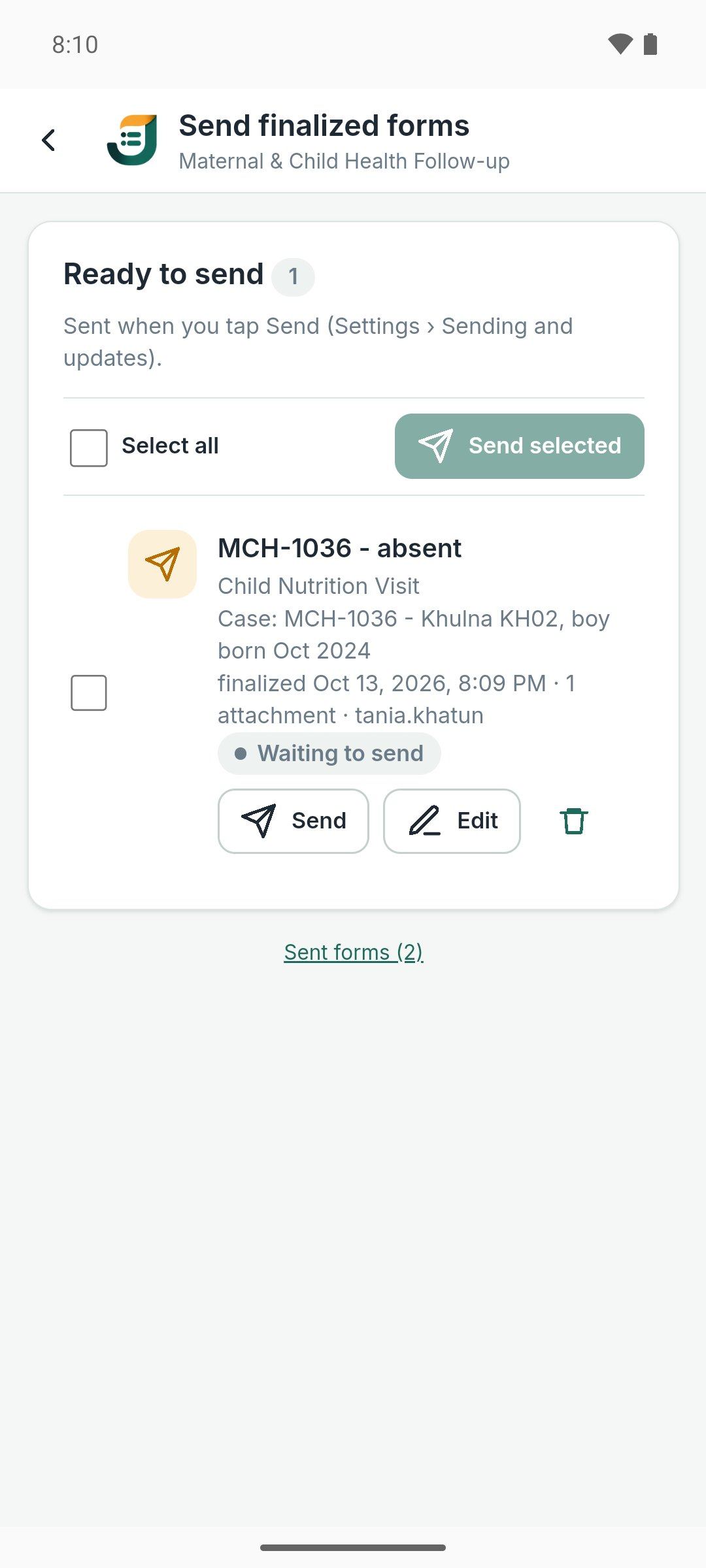
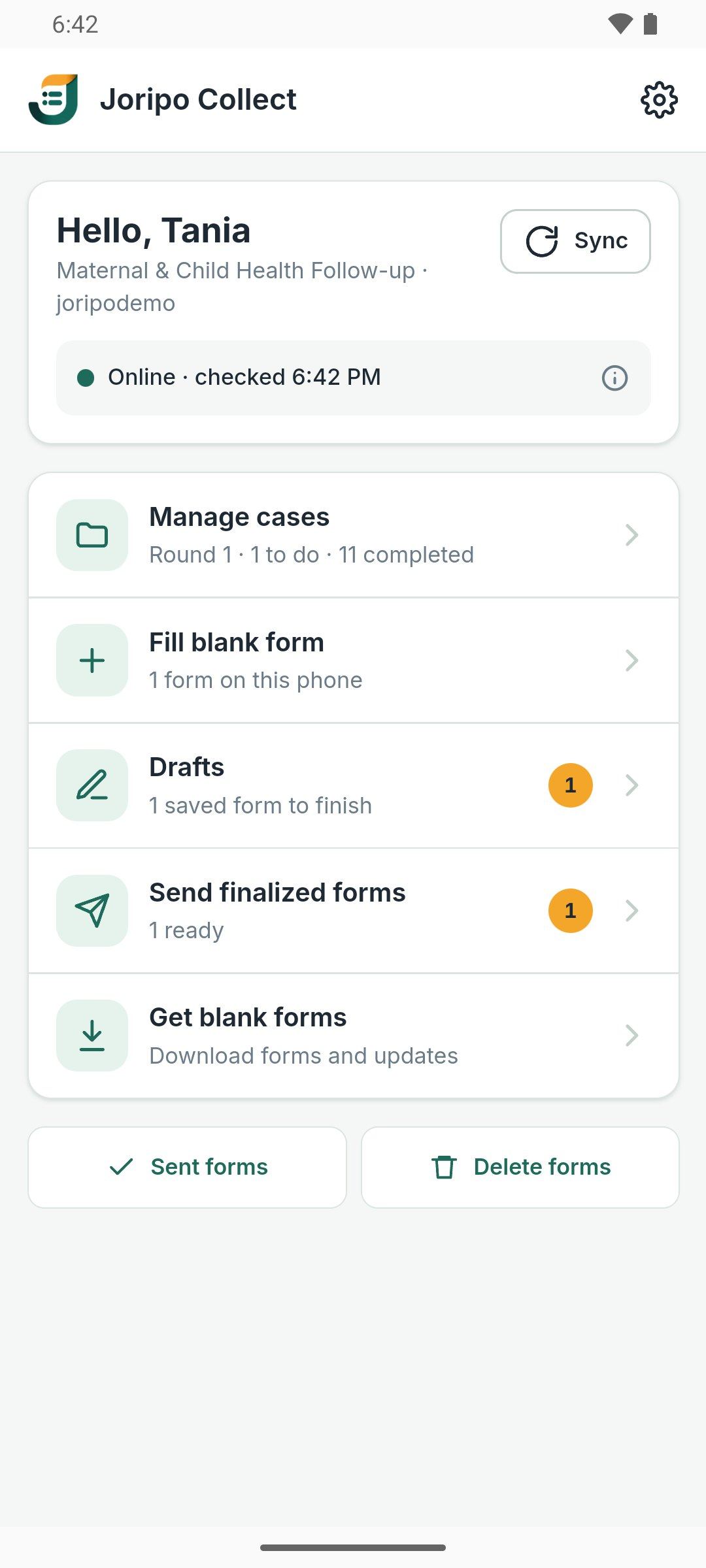
The enumerator's app: offline forms, drafts, case worklists, GPS, photos, audio and automatic sending. Installed from your server's download page.
About Joripo CollectFeatures
From the questionnaire to the dataset: form design and testing, offline collection on Android, case lists, teams and permissions, 28 quality checks, exports for Stata and SPSS, and a Windows app for offline copies. Start free with 5,000 submissions a month; paid plans have every feature on every submission.
Forms
Joripo compiles XLSForms itself, checks that its engine can open the result, and makes the form live for phones and web forms at once. Labels, hints and messages can be written per language, including Bangla; the console itself is in English.
49 question types and 94 functions are catalogued in Joripo's own compiler.
A workbook with problems is refused with every issue listed by sheet, row and column, and the live form stays as it was.
Edit a deployed form as field cards or as its survey, choices and settings sheets; each save deploys a new version.
The tester runs the same engine and form definition as Joripo Collect and web forms, with a form inspector and saved test sessions.
Download each deployed workbook with who deployed it and when, or generate a Word questionnaire from the form.
Shared tables for pulldata(), search() and select_one_external; replace, append or merge rows and every attached form gets them.
Collection
Enumerators sign in with the organisation's server name, their username or email, and a password. Submissions from all three routes reach the same server and go through the same checks on arrival.
The enumerator's app: offline forms, drafts, case worklists, GPS, photos, audio and automatic sending. Installed from your server's download page.
About Joripo Collect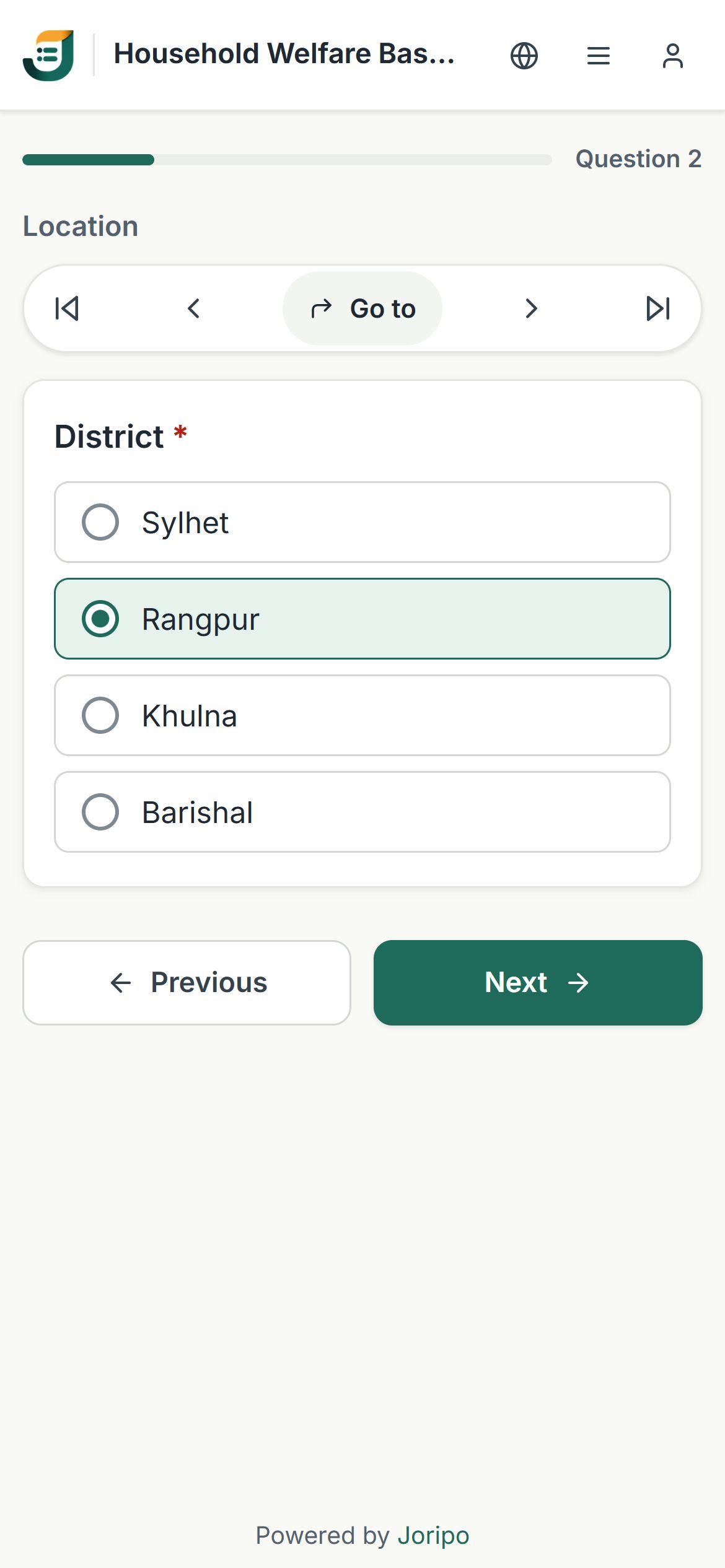
A link for each form, for respondents or staff who fill it in a browser, on the same form engine as the phone. Anonymous access is a switch on each form.
Collecting with web forms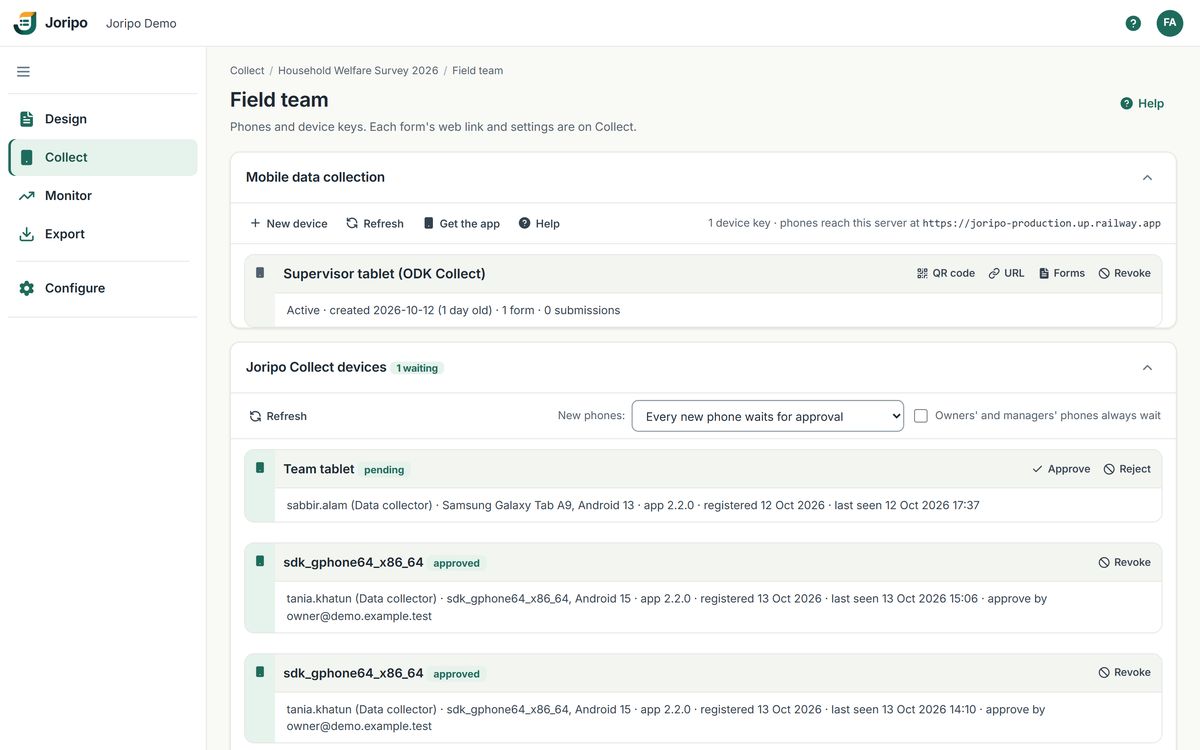
Joripo is an OpenRosa server, so ODK Collect connects with a device-key QR code, or with a password once an owner allows it. A few of Joripo's extended functions and field plug-ins do not run in ODK Collect.
Phones and device keysApprove, reject or revoke each phone; one that has not checked in for 30 days stops working by itself.
Collectors can sign in with a username, collect in Joripo Collect or web forms, and never see the console.
GPS with accuracy thresholds, photos, audio, signatures, barcodes, and text and audio audits.
One phone can collect for several workspaces and several people in turn; each form is sent under the person who filled it.
Offline
Joripo Collect is built for places where the connection comes and goes. Once a phone has its forms, a whole day of interviews can happen without signal.
Case management
For panels, follow-ups and listing studies: one case list per workspace, one completed interview per case, form and round.
A setup wizard reads CSV or XLSX and refuses the import, with nothing written, if an ID is missing or repeated.
Give cases to everyone, to the enumerators named in a column, or to chosen enumerators.
Opening a case in Joripo Collect claims it, so two enumerators are not sent to the same door.
A second interview of a completed case is kept and listed under Needs review, never silently replaced.
Teams & access
Every plan has unlimited team members, and each includes a number of devices. Roles decide what each person sees, and the server checks them on every page, export and API call.
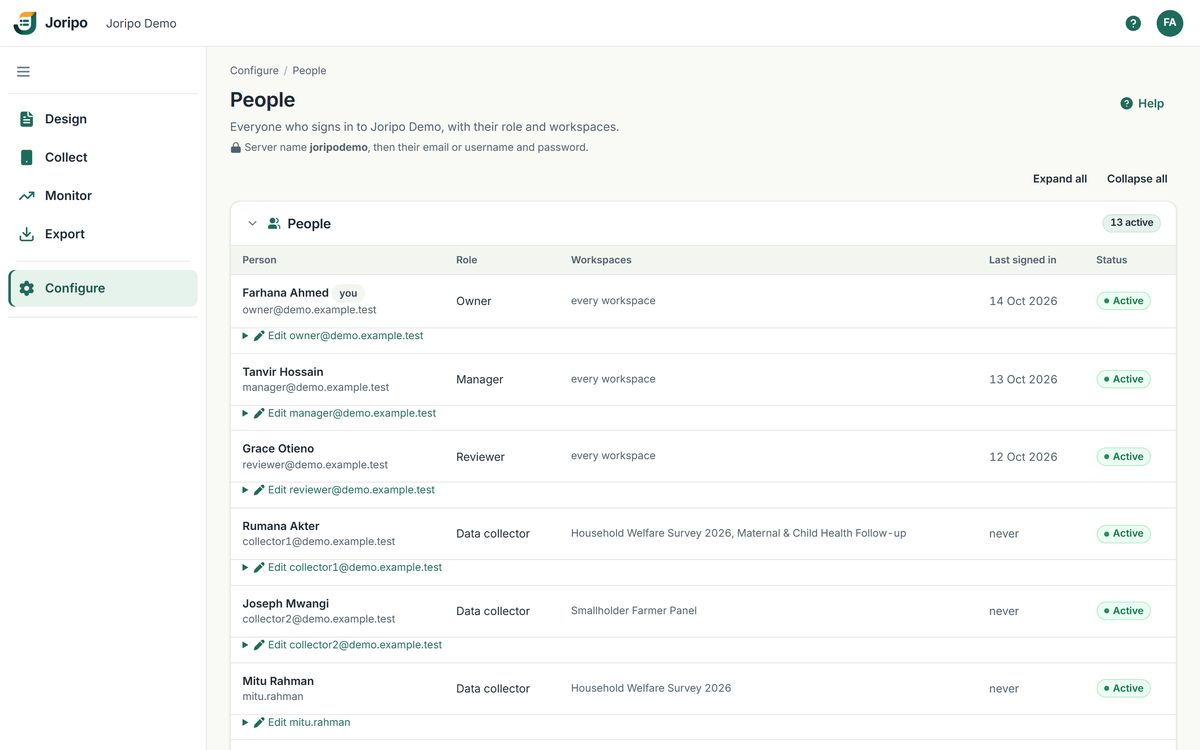
Owner, Manager, Reviewer and Data collector, applied workspace by workspace.
Turn it on and managers and reviewers see only the studies they are assigned to.
Share one workspace with a funder or partner, with its own password, an optional end date and one of four roles.
Server name, email or username, and password, on the web, in Joripo Collect and in Joripo Desktop.
Data quality
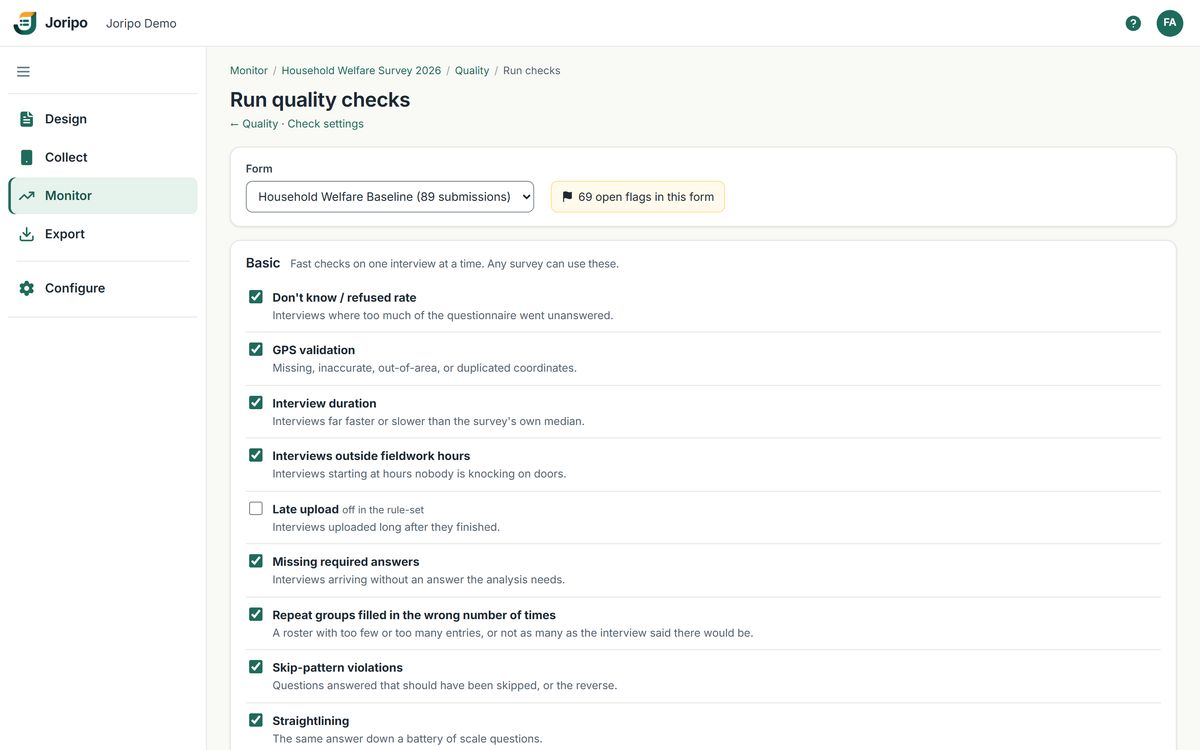
28 built-in high frequency checks. Twelve run on each interview as it reaches the server; the other sixteen compare enumerators and look across a whole form whenever a manager runs them.
Duration, GPS, travel speed, straightlining, don't-know and refusal rates, skip patterns, value ranges and more.
Peer comparisons, back-checks, Benford's law, outliers, digit heaping, duplicates and sample coverage.
Resolve or dismiss each finding with a note. A dismissed one re-opens only if it gets 1.5 times worse or crosses a hard limit.
Submissions, share of interviews flagged, median duration and last activity for each enumerator.
Achieved against target for each stratum, with targets edited in place.
For a random share of respondents a No is recorded as Yes, and Joripo estimates the share answering Yes.
Exports
Wide or long, all submissions or a random or recent subset, in any label language, with attachments in a zip and a manifest.
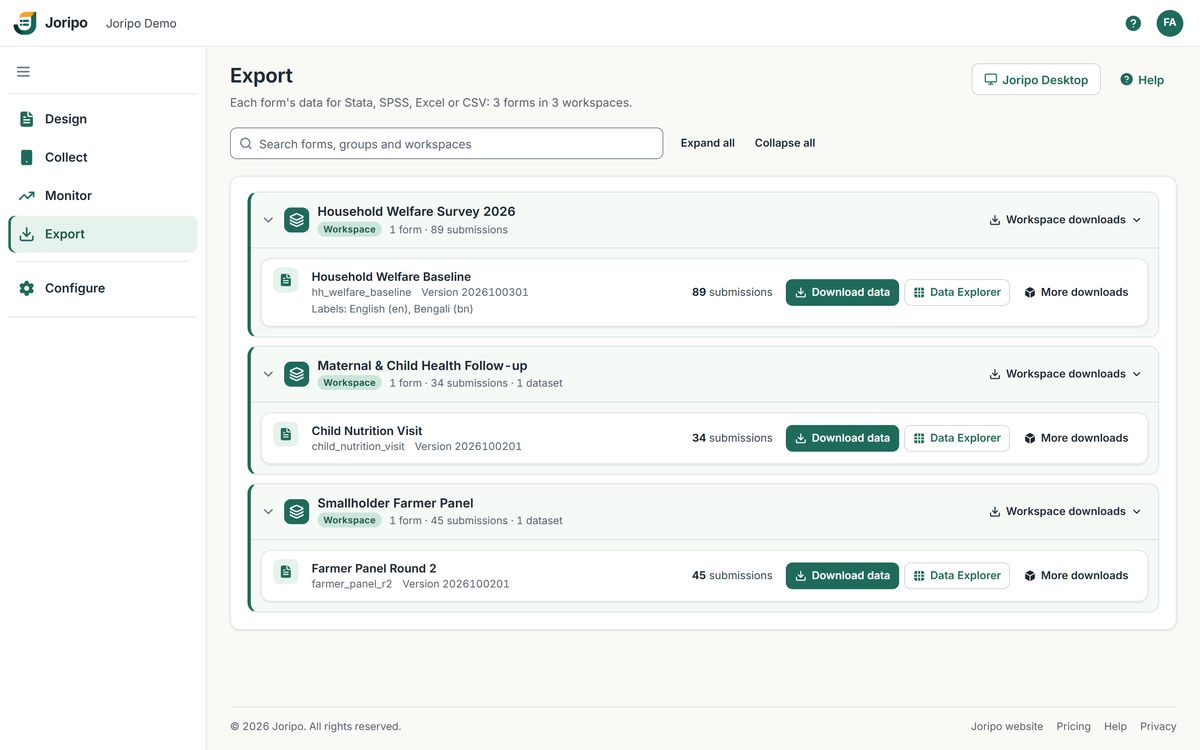
CSV, Excel, Stata .dta and SPSS .sav; the .dta and .sav carry variable and value labels.
Labels, types and dates set for you, and the .dta is made on the server without Stata.
The same layout and file names, checked cell by cell against real exports of seven forms.
Joripo's layout adds enumerator, duration, GPS and an n_flags count for each interview.
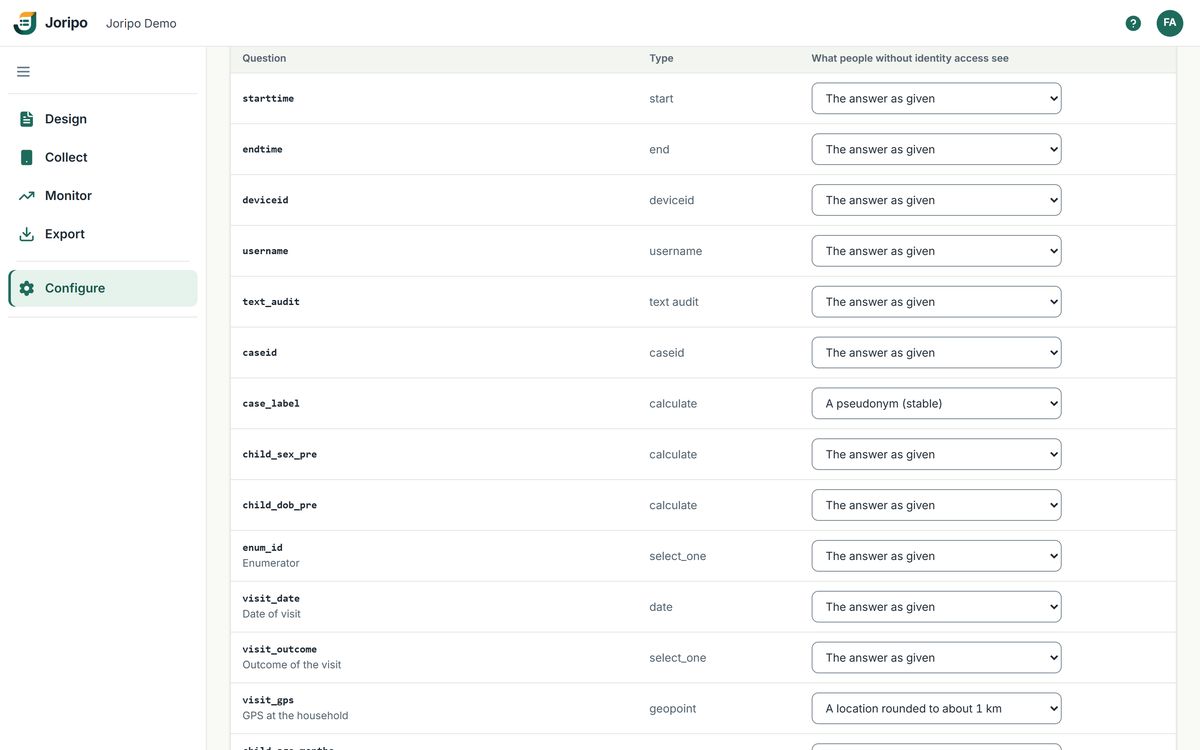
Identifying answers are pseudonymised, redacted or coarsened for anyone without identity access.
R, Stata and Python scripts download any export over plain HTTP with a personal token.
Joripo Desktop
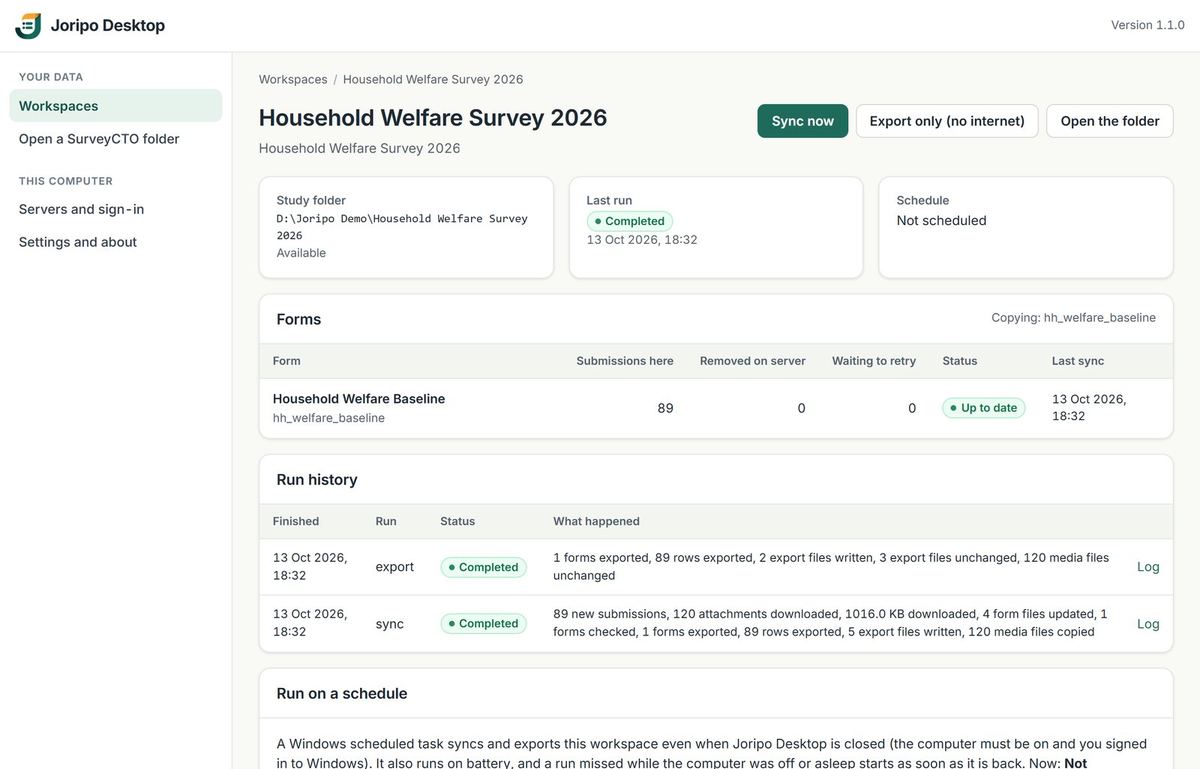
For owners, managers and reviewers who want the data on their own computer, exported the same way every time.
Windows 10 and 11. The installer is not code-signed yet, so Windows SmartScreen asks you to confirm the first time it runs.
Security
Names, phone numbers, locations and sensitive answers are protected on the server and masked for the people who do not need them.
On Joripo's hosted service, collected data is encrypted with AES-256-GCM.
Every connection to the hosted service uses HTTPS, with strict transport security.
Another organisation's IDs answer 404, checked by an automated sweep of every route.
Passwords hashed with scrypt, lockouts after repeated failures, and sessions that time out.
Good to know before you choose
Better to know now than in the middle of fieldwork. Each of these has a workable route today.
| Phones | Joripo Collect runs on Android 8.0 or newer. There is no iPhone app, and the app is installed from your server's download page rather than an app store. Respondents on any device can use web forms. |
|---|---|
| Working offline | Offline collection is a Joripo Collect feature. Web forms need a connection to load and to submit, and cannot save a half-finished response. |
| Encryption | Collected data is encrypted at rest on Joripo's hosted service. Forms cannot use XLSForm public-key encryption: such a form is refused at upload rather than collected unprotected. On the phone, answers rely on Android's own app storage protection. |
| Editing forms | Logic is written as expressions, as in any XLSForm; there is no visual logic builder. Every save or upload deploys a new version straight away, so test in the browser first. Earlier versions stay available for download. |
| Alerts | Joripo does not send email or text alerts. Findings appear in the console, where the list refreshes every 15 seconds. |
| Correcting data | Findings are resolved or dismissed in the console, but answers are not edited there and submissions have no approve or reject status. Corrections belong in your cleaning scripts. |
| API and integrations | API tokens only read: scripts can download data and exports but not write. There are no webhooks or ready-made connectors to other tools. |
| Sign-in | Organisation accounts sign in with a password. Single sign-on and two-step sign-in are not available for them yet. |
| Joripo Desktop | Windows only. The installer is not code-signed yet. |
Something else you need to know? Ask us directly, or read the public help centre.
Tell us which parts of your survey matter most, and we will walk you through them in Joripo with a questionnaire like yours.
Already using Joripo? Log in to your server.