Solutions

Every study has its own way of going wrong in the field.

A household baseline loses interviews to rushed enumerators. A health follow-up loses track of who was visited. A panel loses respondents between rounds. Below, study by study, is the practical workflow Joripo gives your team for each of these problems, using features it has today.

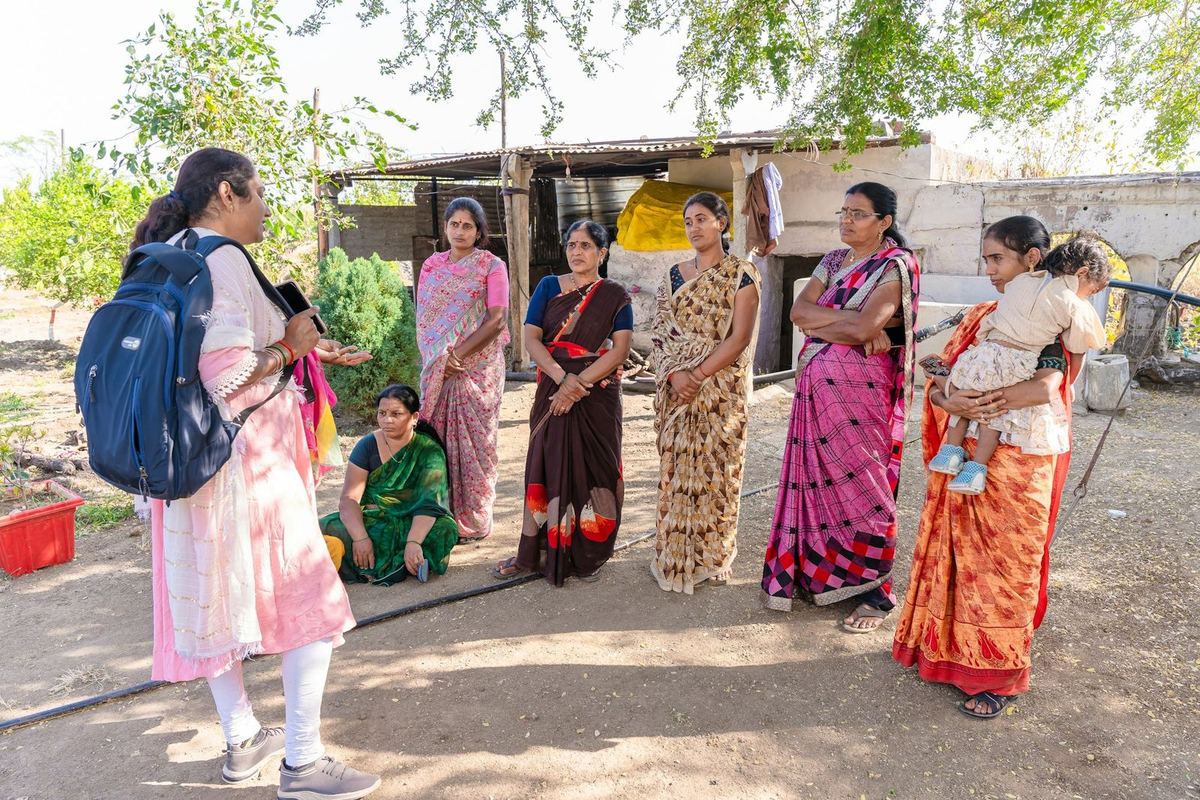
A fieldworker with a backpack talks with a group of women outside their homes in a villagePhoto: EqualStock / Unsplash
  • Offline on Android
  • 12 checks on arrival
  • Enumerator scorecards
  • Sample coverage
  • Stata export

Household surveys

Long modules, a large team, and no second visit to fix a bad interview.

A baseline of a few thousand households means dozens of enumerators, long rosters and consent sections, and villages with no signal. The problems that spoil the data, such as rushed interviews, skipped modules, implausible GPS points and households interviewed twice, are usually found after the team has left the district.

How it runs in Joripo

  1. Upload the questionnaire you already have.Joripo compiles the XLSForm itself and checks that it opens. A workbook with problems is refused with each one listed by sheet, row and column, and the live form stays as it was.
  2. Test it during enumerator training.The browser tester runs the same engine and form definition as Joripo Collect, so supervisors can walk every skip pattern and language before the first interview.
  3. Collect offline.Enumerators fill forms on Android with no connection. Interviews are saved every few seconds, and finalized ones send when a signal returns, even with the app closed.
  4. Check each interview as it arrives.Duration, GPS accuracy and duplicate points, skip patterns, straightlining, don't-know rates and value ranges are checked on arrival. Enumerator scorecards show supervisors whom to call first.
  5. Close the gaps before the team moves on.Upload the sample list and run the sample coverage check to see sampled households with no interview, and interviews not on the list, by cluster or ward.
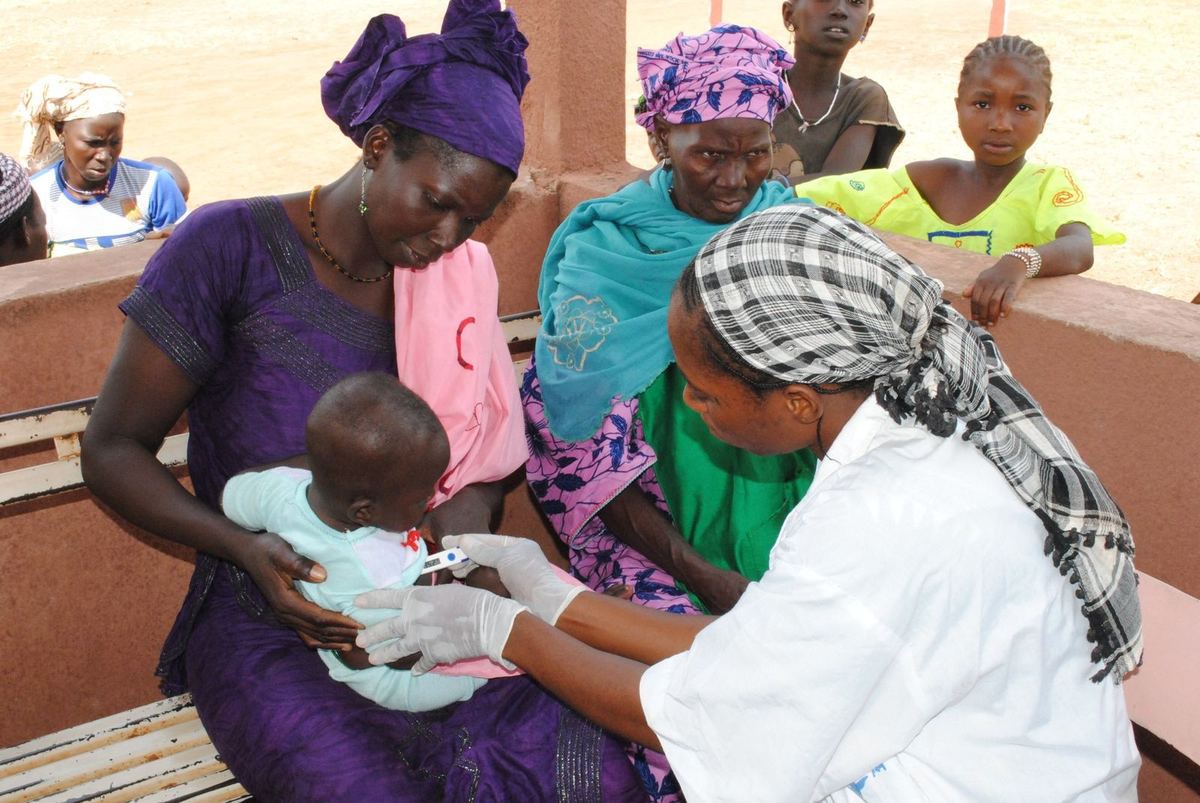
A community health worker checks a small child held by her mother during a health visit in MaliPhoto: President's Malaria Initiative / Wikimedia Commons
  • Case lists
  • Rounds
  • Worklists on the phone
  • De-identification

Health research

Follow the same mothers, children or patients, visit after visit.

Health studies return to the same people: antenatal visits, child growth checks, treatment follow-ups. Field teams need to know who is due, two enumerators must not be sent to the same door, and names, phone numbers and locations should not be visible to everyone who reviews the data.

How it runs in Joripo

  1. Import the enrolment list as cases.The case setup wizard reads any CSV or Excel list, suggests the ID and label columns, and refuses the import, with nothing written, if an ID is missing or repeated.
  2. Give each enumerator their own worklist.Assign cases to everyone, to chosen enumerators, or from a column of usernames. In Joripo Collect, Manage cases shows each person's list, keeps it for offline work, and claims a case on the server when it is opened.
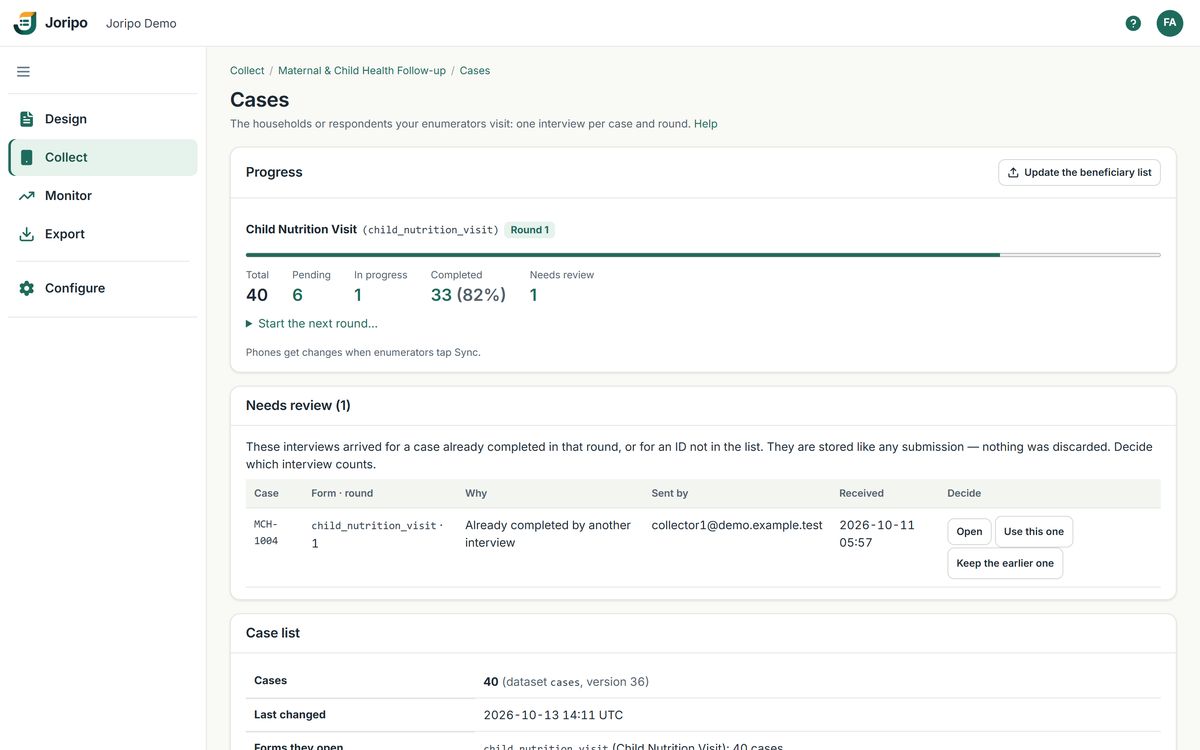
  3. One interview per case, per round.Completion is decided on the server. A second interview of the same case is kept and listed under Needs review, never silently overwritten.
  4. Mask identifying answers.Mark name, phone and GPS questions in Privacy settings. Anyone without identity access sees a stable pseudonym, a blank, or GPS rounded to about 1 km, in exports, the Data Explorer and the API. The stored record is unchanged.
  5. Start the next visit.Start the next round and every case is due again, while the interviews from earlier rounds stay stored.
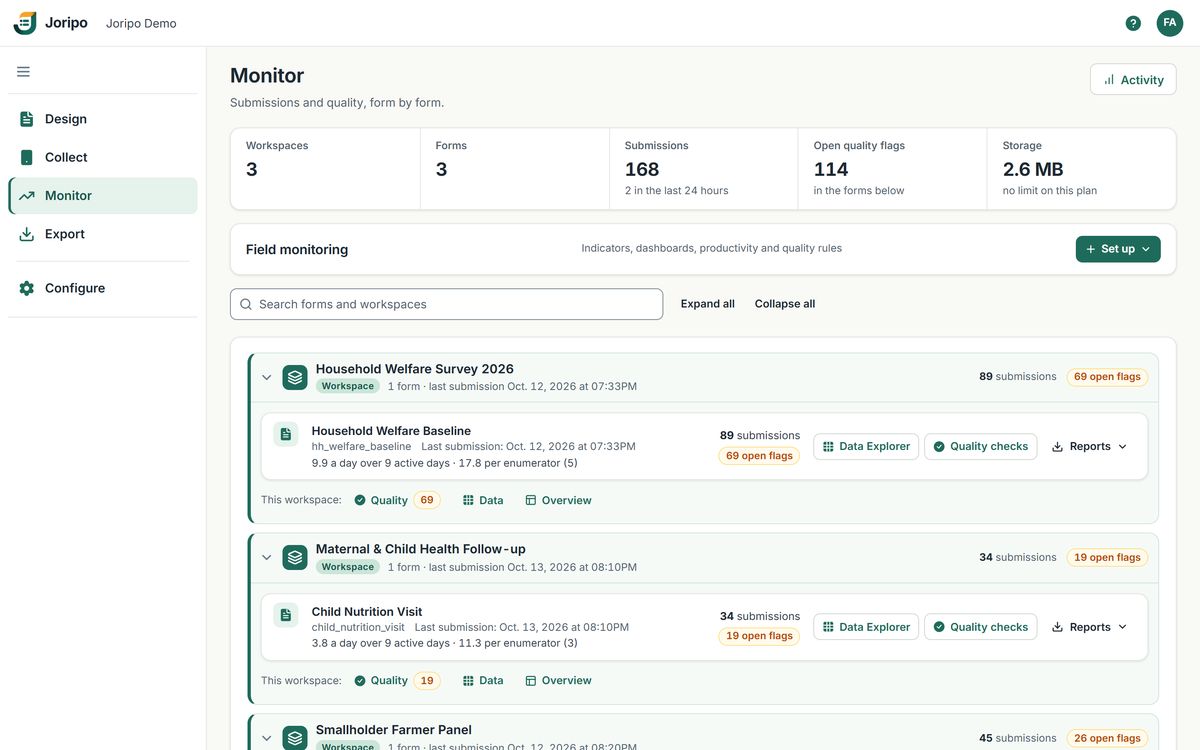
The Monitor page: totals for workspaces, forms, submissions and open quality flags, and each form's submissions, pace and open flags

Joripo's console, showing a demo workspace with synthetic data.

  • Workspaces
  • Monitor
  • Quota tracking
  • External access
  • Quality report

Monitoring & evaluation

Several programmes in the field at once, and funders who want to see progress.

M&E teams run baselines, midlines and endlines across programmes and districts at the same time, and report to funders who ask how many interviews are done and how good they are. Pulling those numbers from separate tools each week takes the time that should go into following up problems.

How it runs in Joripo

  1. One workspace per programme or evaluation.Each holds its own forms, field team and data. With restricted workspaces on, managers and reviewers see only the studies they work on.
  2. Follow every programme from one page.Monitor lists each workspace and form with submissions, pace per day and per enumerator, and open and critical quality flags, with a Needs attention feed below.
  3. Track achieved against target.Set a target for each stratum, such as a district, and quota tracking shows interviews achieved against it with progress bars.
  4. Give the funder their own way in.Share one workspace with a funder or partner in one of four roles, with an optional end date and a password of its own. Viewers and data downloaders see quality results only if you tick them.
  5. Report from files, not screenshots.Each form's quality report workbook holds every finding with its review status, completed interviews per day and per enumerator, and interview durations.

Under every study

The same foundations, whatever you are measuring.

None of this is an add-on or kept for a higher plan: every paid plan has all of it, on every submission.

  • Offline on Android

    Joripo Collect fills forms with no signal and sends finalized interviews when a connection returns. It runs on Android 8.0 or newer.

  • Forms in your respondents' languages

    Labels, hints and messages per language, Bangla included. Enumerators switch language on the form screen.

  • 28 quality checks

    12 run on each interview as it arrives. The other 16 compare across the whole dataset whenever you run them.

  • De-identification

    Pseudonymise, redact or coarsen identifying answers for anyone without identity access, without changing the stored record.

  • Analysis-ready exports

    The WIDE CSV in the SurveyCTO-compatible layout, Excel, Stata .dta with a labelled do-file, and SPSS .sav.

  • Familiar forms

    Reads the XLSForms you already use. Built on ODK's open-source XForms engine, extended by Joripo.

See every feature

Case management: progress for the current round, a duplicate interview waiting for review, and the case list
  • Rounds
  • Preloads
  • Duplicate checks
  • Version history

Panel & longitudinal studies

Find the same households again, round after round.

Panel studies depend on attrition and matching. Respondents move, enumerators change between rounds, and a household interviewed twice in one round, or recorded under a new ID, quietly breaks the panel. The questionnaire usually changes between rounds too.

How it runs in Joripo

  1. Start from the households you already have.Build the case list from a spreadsheet or from a server dataset. Importing an updated list merges on the ID and never resets anyone's progress.
  2. Show what was recorded last time.Forms read any column of the case list through pulldata() and search(), so the interview can show the details the team needs to find and confirm the right household.
  3. Rounds, not new forms.Start the next round and every case is due again on the same form. Earlier rounds' interviews stay stored, and Joripo Collect records the case and round in each submission.
  4. Catch breaks in the panel.Run the duplicate household ID check, and the check for one respondent recorded under different IDs, which looks at names, national IDs and phone numbers (compared on their last nine digits).
  5. Change the questionnaire safely.Every deployed version is kept with who deployed it and when, and exports keep data from older versions, so a question dropped in round three keeps its round-one data.
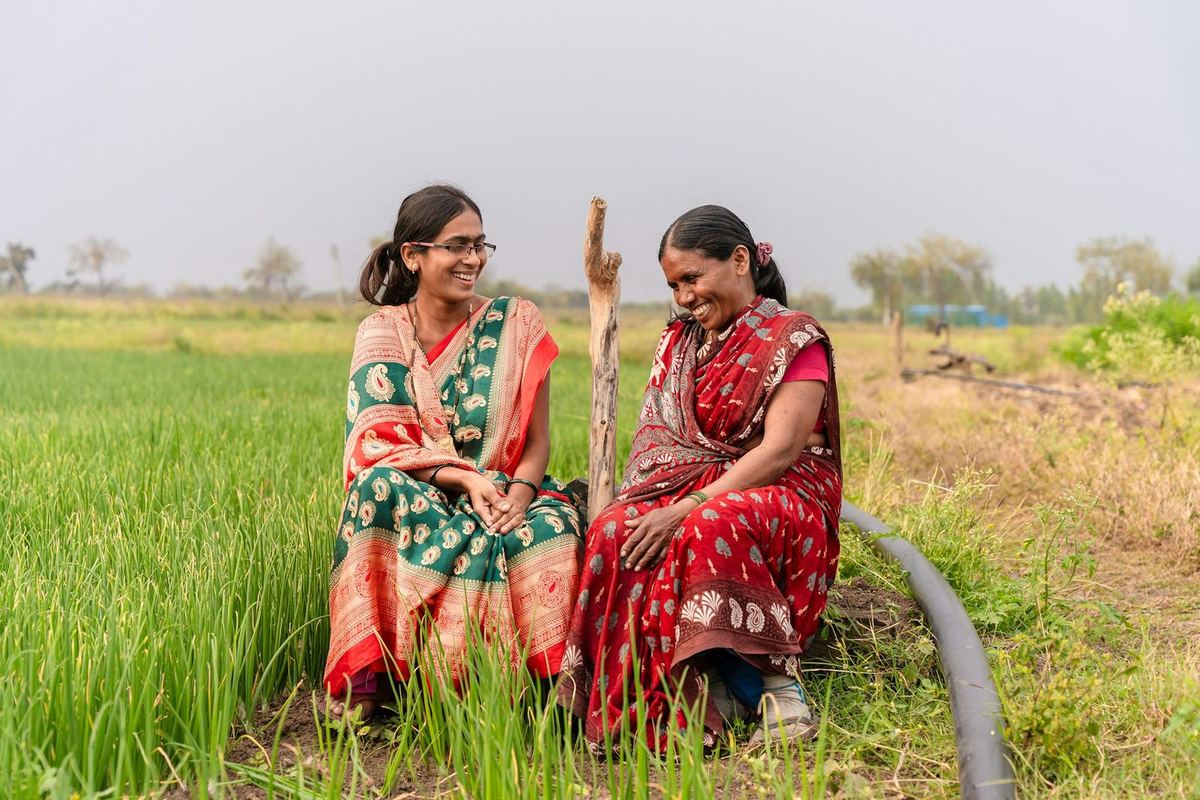
Two women sit and talk at the edge of a green fieldPhoto: EqualStock / Unsplash
  • Repeat groups
  • Value ranges
  • Outliers and heaping
  • GPS checks
  • Joripo Desktop

Agricultural research

Plot by plot and season by season, with numbers you can believe.

Farm surveys ask for areas, harvests, input quantities and prices, often recalled from months ago, across plot and crop rosters. Rounded guesses, wrong units and impossible yields are hard to see one interview at a time, and expensive to fix once the season is over.

How it runs in Joripo

  1. Rosters as repeat groups.Plots, crops and livestock go in repeat groups. A check flags a roster filled the wrong number of times, and the long export writes one file per repeat group.
  2. Soft and hard limits on the numbers that matter.Set expected ranges for the questions you choose, and value-range checks run on each interview as it arrives, so a harvest entered in the wrong unit can be queried with the enumerator the same day.
  3. Look for patterns across farms.Numeric outliers, digit heaping on 0 and 5, and Benford's law on the amount questions you choose run across the whole dataset when you run them.
  4. Check where each interview happened.GPS checks flag readings worse than your accuracy limit, points too far from the survey area, and points within 10 m (by default) of another household's.
  5. Hand data managers a labelled file.Export Stata .dta with variable and value labels, made on the server without Stata. Joripo Desktop can re-export a workspace on a schedule on a Windows computer.
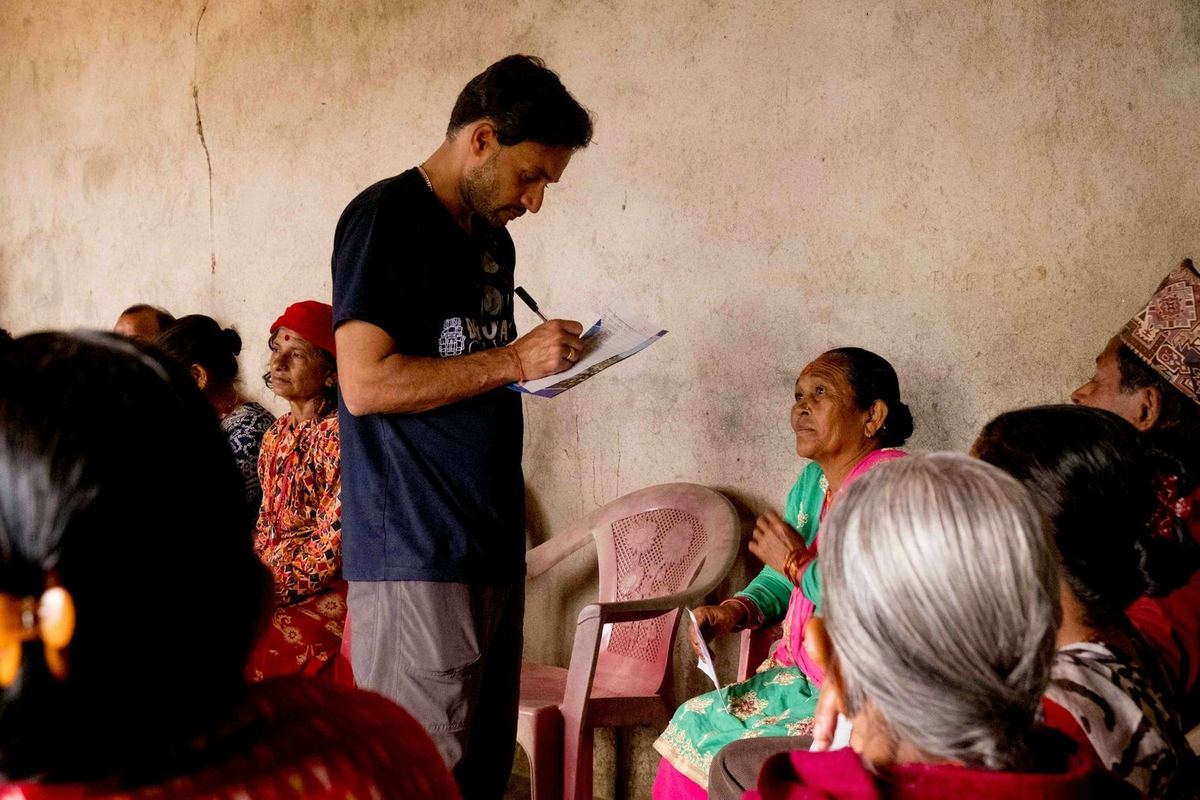
A researcher takes notes on a clipboard while talking with a group of womenPhoto: Frederick Shaw / Unsplash
  • Garbling
  • Identity access
  • Review history
  • Back-check comparison
  • Stata package

Academic research

Fieldwork you can describe, defend and reproduce in a methods section.

Ethics boards ask how sensitive questions and identifying data will be protected before the first interview. After fieldwork, research teams often spend weeks reconstructing what happened: which form version was used, which interviews were questioned and why, and how the back-checks compared.

How it runs in Joripo

  1. Garble sensitive yes/no questions.For a randomly chosen share of respondents, a No is recorded as Yes, so a recorded Yes never proves what one person said. Joripo estimates the share answering Yes, with standard errors, and exports Stata and R scripts that recompute it.
  2. Keep identities apart from answers.Mark identifying questions once. Research assistants without identity access work with pseudonyms, and downloads of identifying data are recorded in the audit log.
  3. Document every quality decision.Each finding keeps who resolved or dismissed it, when, and with what note, along with the rule-set version and thresholds it was raised under.
  4. Compare back-checks with the originals.Match a back-check form to the original interviews on a shared ID and compare chosen questions exactly, as categories or within a tolerance, with disagreement rates by question, enumerator and back-checker.
  5. Archive a reproducible export.The Stata package holds the WIDE CSV, its labelled do-file and the .dta. Every form version stays downloadable as the workbook that was deployed.
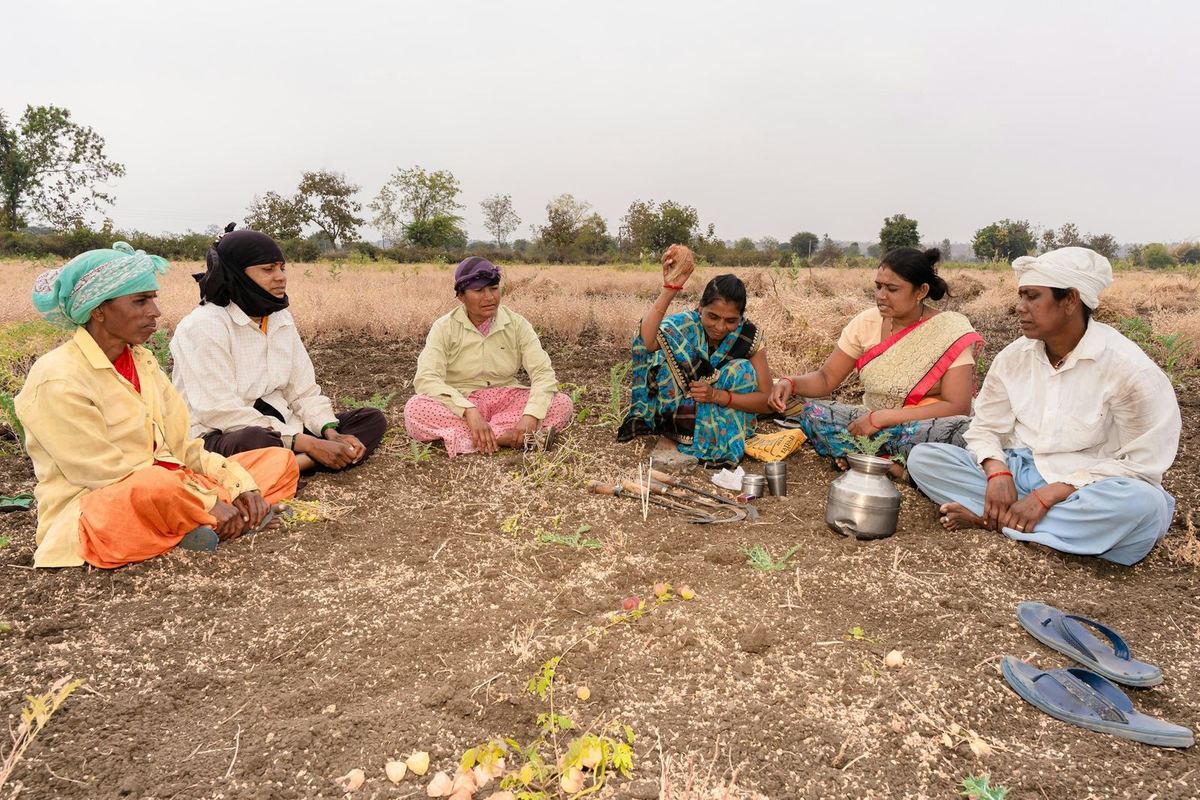
A group of villagers sit in a circle on farmland for a meetingPhoto: EqualStock / Unsplash
  • Data collector accounts
  • Phone approval
  • Multilingual forms
  • Listing forms
  • Web forms

NGO programmes

Registration and programme monitoring with short-term field staff.

Programme teams often collect through partner staff and short-term enumerators, on phones the programme does not own, in more than one language. Staff turn over, phones go missing, and the beneficiary list grows while the programme runs.

How it runs in Joripo

  1. Accounts made for field staff.Add data collectors with a username and a short password. They only collect, in Joripo Collect or web forms, and never see the console or other people's data.
  2. Decide which phones may collect.Approve, reject or revoke each phone on Field team & phones. A phone that stops checking in loses access on its own after 30 days.
  3. Ask in the language people speak.Write labels and hints per language, including Bangla. Enumerators switch on the form screen, and the Word questionnaire can be generated in one language or all of them.
  4. Register as you go.A listing form can add new cases to the case list from what is submitted, so the follow-up worklist grows with the programme.
  5. Reach people without the app.Partner staff or respondents can fill a web form in any browser, signed in or through an anonymous link. Web forms need a connection to load and submit.

Is it a fit?

Questions to ask before you plan fieldwork on Joripo

Do enumerators need Android phones?

For offline collection, yes: Joripo Collect runs on Android 8.0 or newer, and there is no iPhone app. Web forms work in any browser, on any device, but need a connection to load and to submit. ODK Collect can also connect to Joripo over OpenRosa.

Can we run telephone (CATI) surveys?

Not as a calling system. A field plug-in can open the phone's dialler with a number for the enumerator to call, but Joripo does not place, schedule or record calls. It is built for face-to-face interviews and web forms.

Will Joripo choose the households to back-check?

No. Your team selects and visits back-check households with a separate back-check form. Joripo then compares those answers with the original interviews and reports disagreement by question, enumerator and back-checker.

We have past studies in another tool. Can we bring them?

Joripo reads XLSForm workbooks and tells you on upload if anything in a workbook is not supported. Joripo Desktop can also open a SurveyCTO Desktop data folder and export it with Joripo's engine; encrypted submissions are counted and left out. Talk to us about moving.

Can several studies share one organisation?

Yes. Each study gets its own workspace, and plans are set by submissions, forms, devices and workspaces, not by users. Every plan has unlimited team members. See Pricing.

Tell us about your next study.

Send us the questionnaire or describe the fieldwork: sample size, districts, rounds, languages. We will show you how Joripo would run it, from the first upload to the dataset you analyse.

Already using Joripo? Log in to your server.